How Long Does Target Hold Pick Up Orders Most

So, how long does Target hold pick-up orders? There are a couple of times when you find that Target runs too long, and there will be many instances when pickup also takes time. In those cases, all you need to do is tap into the target curbside. This can also save you a lot of time. You can search for the nearest shop by searching directions to Target.
It’s not only about time, but you can also save money. And in the end, you will not find yourself buying any additional items. The target drive is not only for perishable groceries but also for nonperishable items. If the item you ordered is in stock, curbside pickup is available.
Recently, Target has expanded curbside capacity in many stores. However, expansion varies by market. For instance, some stores added more Drive Up stalls, and others reallocated existing spaces. So this new strategy will support the customers more. And the most important thing is that there are backup trained team members who will fulfill the demand on the same day.
Target Curbside

Note on services. At the outset, Target offers two distinct pickup options:
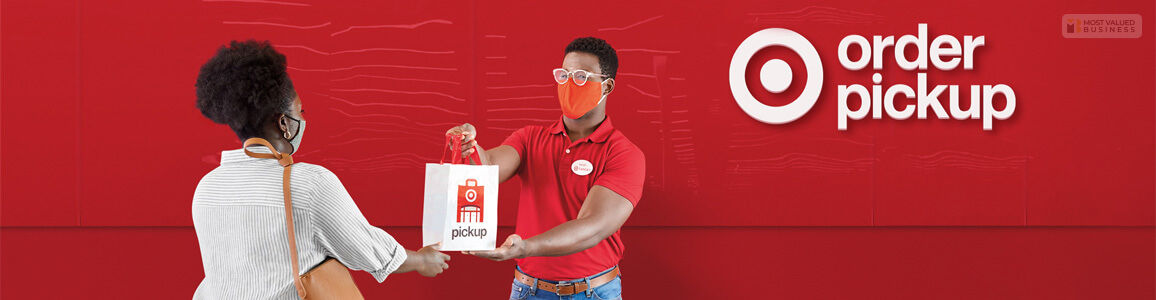
- Order Pickup, where you go inside the store to collect items
- Drive Up, where a team member brings your order to your car at designated curbside spots.
Basically, both are free. However, eligibility, timing, and the pickup process might differ. Also, the app will show which option is available for each item.
Target uses one app named the Target app. It is not a separate “Target Drive Up” app. In fact, the app shows what the item is eligible for.
If the item page shows “Drive Up”, it means that a team member will bring it to your car. However, if it shows “Order Pickup”, you have to go inside. In general, you have to pick it up at Guest Services or the pickup counter.
Quick tip: If you are in doubt, open the item detail in the Target app. In this case, the pickup option is shown right under the price.
If you are expecting your errands to come on holidays, or you are coming to your home late, then Target Drive Up will give you the best service. You can get the benefits through the application, and you will find a Target Store near you because the stores are spread nationwide.
Target Curbside And Starbucks
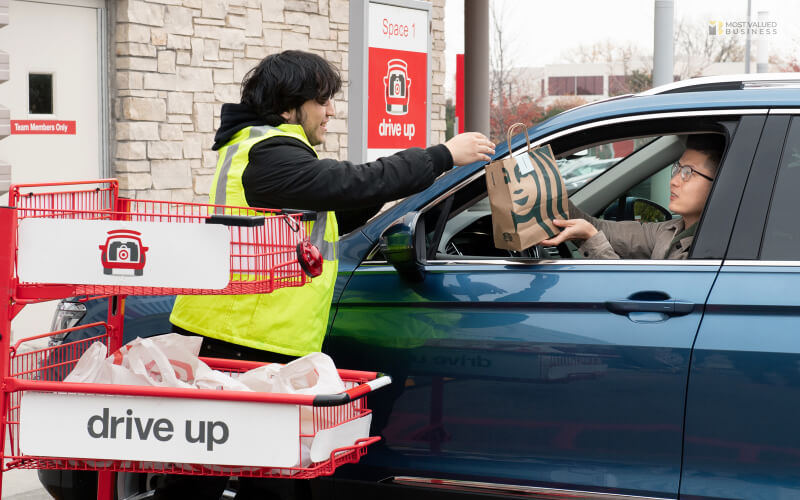
In select Target locations, you can add a Starbucks beverage to your Drive Up order via the Target app. When available, the app shows a “via the Target app” option for Starbucks items. Drinks are typically prepared when you check in, so they’re fresh on delivery; availability varies by store and may be limited to participating locations. Confirm availability in the app before ordering.
How Does Target Curbside Work?
So, are you ready to give your first order through this platform? Here are the steps you need to follow.
1. Download and Install the Application
First, you need to download and install the application Target Drive Up. You will find the application on both the Google Play Store and the Apple App Store. After downloading the application, you can add items like school supplies, pantry items, groceries, and other items. But you need to check if the items are eligible or not.
2. Determine What Are You Eligible for
There are certain scenarios where you will not be eligible for items. For example, suppose the items that you want to buy are in limited supply, or the store does not have enough stock. In these times, you can not add items. Also, sometimes there are some hazardous items that Target does not pick up.
3. Choose How You Want to Receive Your Order
When you open the application, you will find that there will be an option called ‘pick it up.’ And then, there will be a different option called ‘Drive Up.’ You need to click on both of these options and then pay for your order. When there is the option that is referenced as ‘ready for pickup,’ then you can pay for your order.
4. When Orders Are Typically Ready
Primarily, Target’s Drive Up and Order Pickup services are designed for fast fulfillment. In fact, it prepares many in‑stock Drive Up orders within about 2 hours of ordering. However, fulfillment time varies by store, item availability, and demand.
Moreover, large orders, high‑demand items, or holiday volume might extend fulfillment to several hours. Also, it might require the next‑day pickup. So, make sure to use the app’s “Ready for Pickup” notification as the definitive signal that your order is available.
After that, you will get a push notification and an email. This will confirm when the order will be ready or when it will be picked up.
5. Arrive at Target Curbside
When you arrive at Target Curbside, there will be a Target Employee who will bring the product to your vehicle. You can confirm your pickup by showing the employee your barcode in the app. You can also show your ID to pick up the order. Some orders, such as here, have some IDs you can show.
- Issued photo ID
- State-issued driver’s license
- State-issued ID card
- U.S. passport
- Military ID
- Certificate of citizenship
- Certificate of naturalization
- Permanent resident
- Green card
In ideal situations, you will have a Target employee bring your order right away after you reach the location. However, there might be some delays sometimes. That is why it is suggested to plan accordingly before you pick up your order. So, now you get the answer to how long Target holds grocery pick-up orders.
Typical Timelines By Scenario
- Standard same‑day in‑stock order: Most stores prepare curbside orders within 1–3 hours.
- Large or high‑demand orders: Expect 3–6 hours; some stores may require next‑day fulfillment.
- Out‑of‑stock or substitution required: Fulfillment can be delayed 6–24 hours while staff confirms alternatives.
#Holiday or peak shopping days: Allow 24–48 hours; place orders earlier to avoid delays.
- Tip: The app’s “Ready for Pickup” notification is the definitive signal — plan to arrive within the store’s stated hold window after that notification.
Target Curbside Pickup Hours

The time for Target Drive Up and store visits is the same. They remain open from 8 a.m. to 10:00 p.m. So you can pick up your curbside order within that time. But if you plan to take the order out after placing your order at 9:59 p.m., that will not happen. It would take Target 2 hours to fulfill your order and prepare it for pick up.
So, place your order at least 3 to 4 hours before you intend to pick it up. Sometimes they even take up to six hours to fulfill your order. So, if you are planning to pick up a Target Curbside order, place it at least four to five hours before your intended pick-up time.
How Long Does Target Hold Unclaimed Pickup Orders?
Hold windows are not one‑size‑fits‑all. Here’s a quick comparison to help you plan.
| Order type | Typical hold window | What to do if delayed |
| Non‑perishable, in‑store Order Pickup | 24–72 hours | Message store in app; request extension |
| Drive Up (non‑perishable) | 24–72 hours | Check the app; call the store if past 24 hours |
| Perishable groceries | Same day to end of day | Contact the store immediately; extensions are rare |
| Large or special orders | May require next‑day pickup | Expect staff to contact you; confirm substitutions |
Short note: Always treat the app’s “Ready for Pickup” as the start of the hold window. So, if the app says “Ready,” that’s when the clock starts.
In addition, if you expect a delay, notify the store through the Target app or contact customer service. This way, you can request an extended hold (extensions are granted at the store’s discretion).
Refund timing. If an order is canceled because it wasn’t picked up, Target typically issues a refund to the original payment method. In general, refund posting times depend on your bank or card issuer. Also, it might take several business days to appear on your statement.
Target Curbside Things To Know

There are a couple of things that you must know.
- First of all, you need a valid government-issued photo ID.
- You have to wait less on weekdays.
- The store’s time is from 8 a.m. to 10 p.m.
- Your order will be fulfilled between 2 and 6 hours.
- There is no minimum order amount that you need to order.
- There is an option to modify your order.
- You can also return items.
- There is a 1% cashback.
- You will get Target Circle offers.
In fact, you can modify or cancel eligible items in the Target app before the order is picked and packed. However, some items (e.g., third‑party or limited‑stock items) may not be editable.
Also, you might choose to request an extension. For instance, if you can’t pick up within the hold window, use the app to message the store or call customer service. In general, extensions are handled case‑by‑case and are not guaranteed, especially for perishables.
Payment Options for Pickup Orders
At the outset, payment rules vary. In fact, most stores accept major credit/debit cards and EBT for eligible grocery items. However, EBT cannot be used for non‑grocery items or for Drive Up in some locations.
Meanwhile, gift cards usually work in the app. But some Drive Up orders may restrict some payment types for security.
- Splitting payment. The app sometimes lets you split between a card and a gift card. However, if it doesn’t, call the store before pickup.
- Tipping. Target does not require tips. In fact, as a shopper, you might accept tips via the app in some markets. However, if you want to tip in person, ask the team member if they can accept it. This is because policies differ from place to place.
In general, Target accepts major credit and debit cards and EBT for eligible grocery purchases. You might choose to split payment across multiple cards in the app or at checkout.
Meanwhile, gift cards and some payment types may be excluded from Drive Up for security or operational reasons. Hence, make sure to check the app for payment options when you place your order.
Frequently Asked Questions!! (FAQs): How long does Target Hold Pick Up Orders
Here are some interesting questions and answers.
Ans: There are mainly two options that you can choose from: one is ‘pick up order,’ and the second one is ‘Drive Up.’ Normally, the pick up of the order will take a maximum of two hours before it notifies you. However, when it comes to selecting stores, the process takes around 6 hours. After that, you can review the items in your cart or on the detail page.
Ans: First, you need to arrive at Target and park in the Drive Up spots. Now, tap on the app to let the team members know that you are there. Then, a member of Target will come to you and scan the barcode on your app to verify that it is you. After that, they will load the bags into your car. And that is all you need to do.
Ans: No, there is nothing written that you need to give tips. But if you want to give tips, then shoppers will happily accept that. My recommendation is to give them a tip, and also do not forget to rate them as well. The ratings and feedback are anonymous, and they receive 100% tips.
Ans: In general, Target holds Drive Up and Order Pickup orders for three days. It works after you receive the “Ready for Pickup” notification. However, if not picked up, the order is cancelled and refunded.
Way Forward
Now, you know about Target and how long it takes to pick up the order. There is a common query that people ask, ‘Does Target accept EBT?’ So, the answer is yes. They accept debit, credit, and EBT cards. Also, there is an option to use multiple credit cards. Please let us know in the comments section below if you want to know more.
Thank You.
Read More:
tags
Roman Williams
Roman Williams is a passionate blogger. He loves to share his thoughts, ideas and experiences with the world through blogging. With over 15 years of experience, Roman also enjoys writing blogs in various domains, including business, finance, technology, digital marketing, travel, and sports. Roman Williams is associated with GlobalBusinessDiary & TechRab.